微信公众号实现每日推送
前言
最近逛论坛的时候看到很多文章都在讲使用微信测试号来实现每日的消息推送,于是自己也简单学习了一下,然后尝试着做着玩玩。
账号和相关API申请
测试账号申请
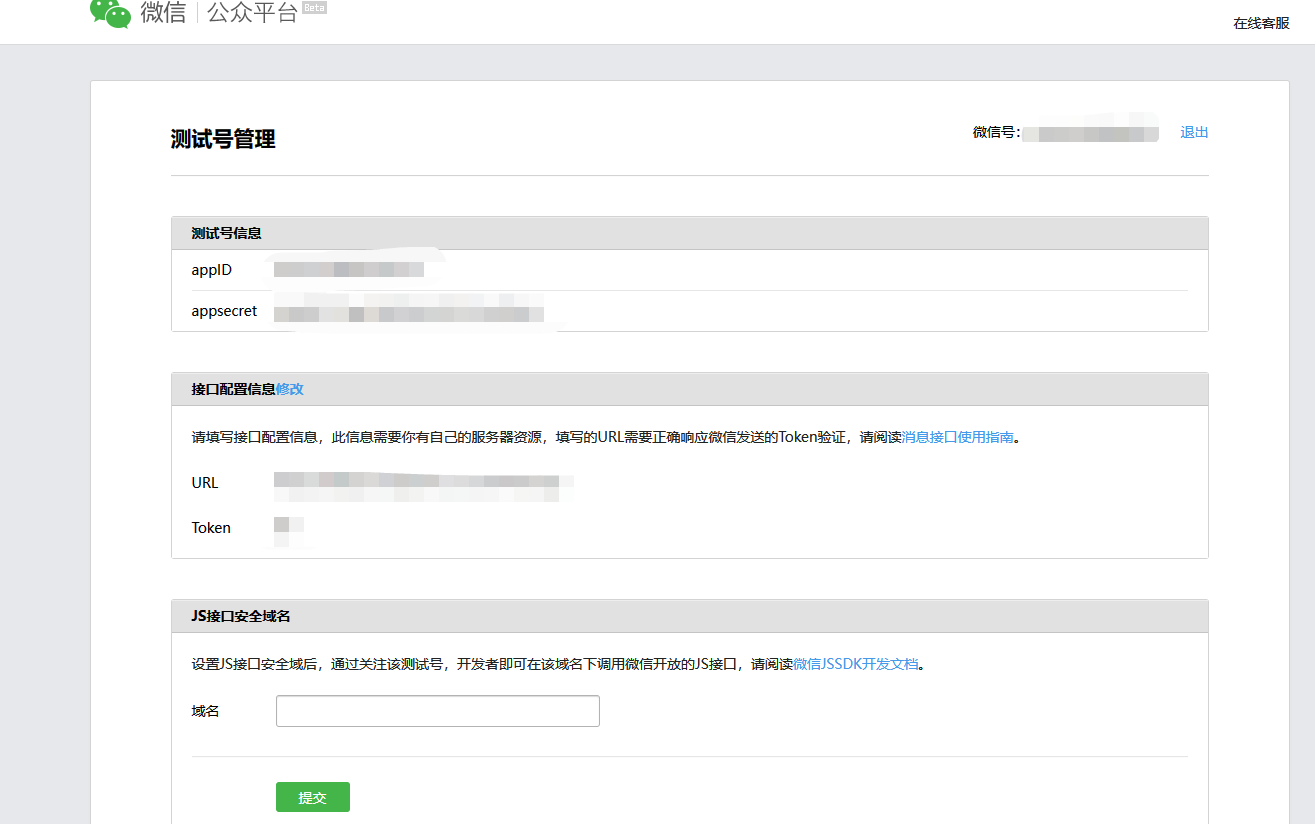
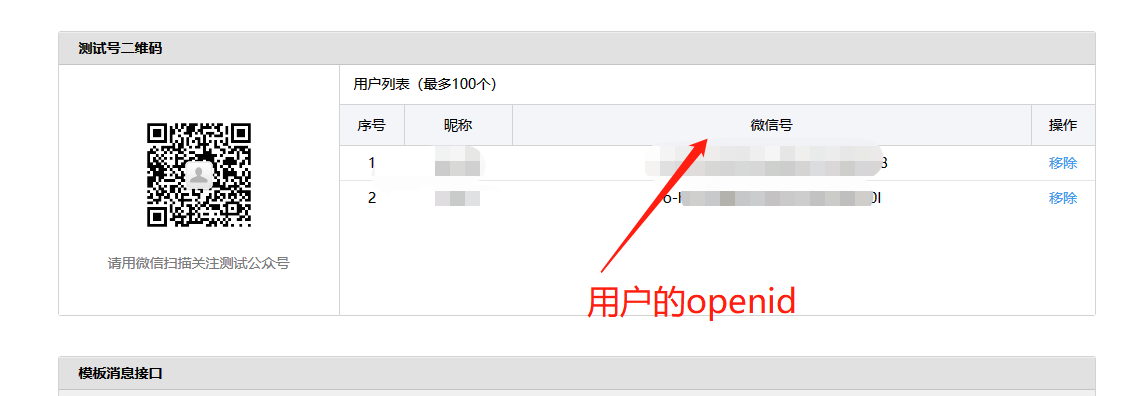
首先需要申请一下微信的公众平台测试账号,申请完成之后就在可以看到自己的appID和appsecret
微信相关的API
  #token获取
  tokenApi: https://api.weixin.qq.com/cgi-bin/token
  #获取用户列表
  userListApi: https://api.weixin.qq.com/cgi-bin/user/get
  #获取用户信息
  userInfoApi: https://api.weixin.qq.com/cgi-bin/user/info
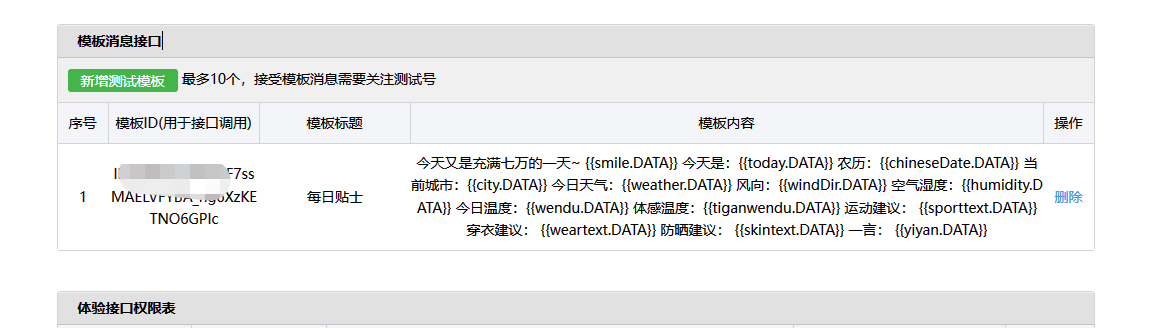
模板ID,这个就是等下发送的消息的一个模板,我们向微信的服务器发送消息,它接收到之后就会根据模板ID匹配到相应的模板,然后按照模板配置的参数来组成一个模板信息,模板ID只需要自己新增一个测试模板后就会给你一个ID
天气API
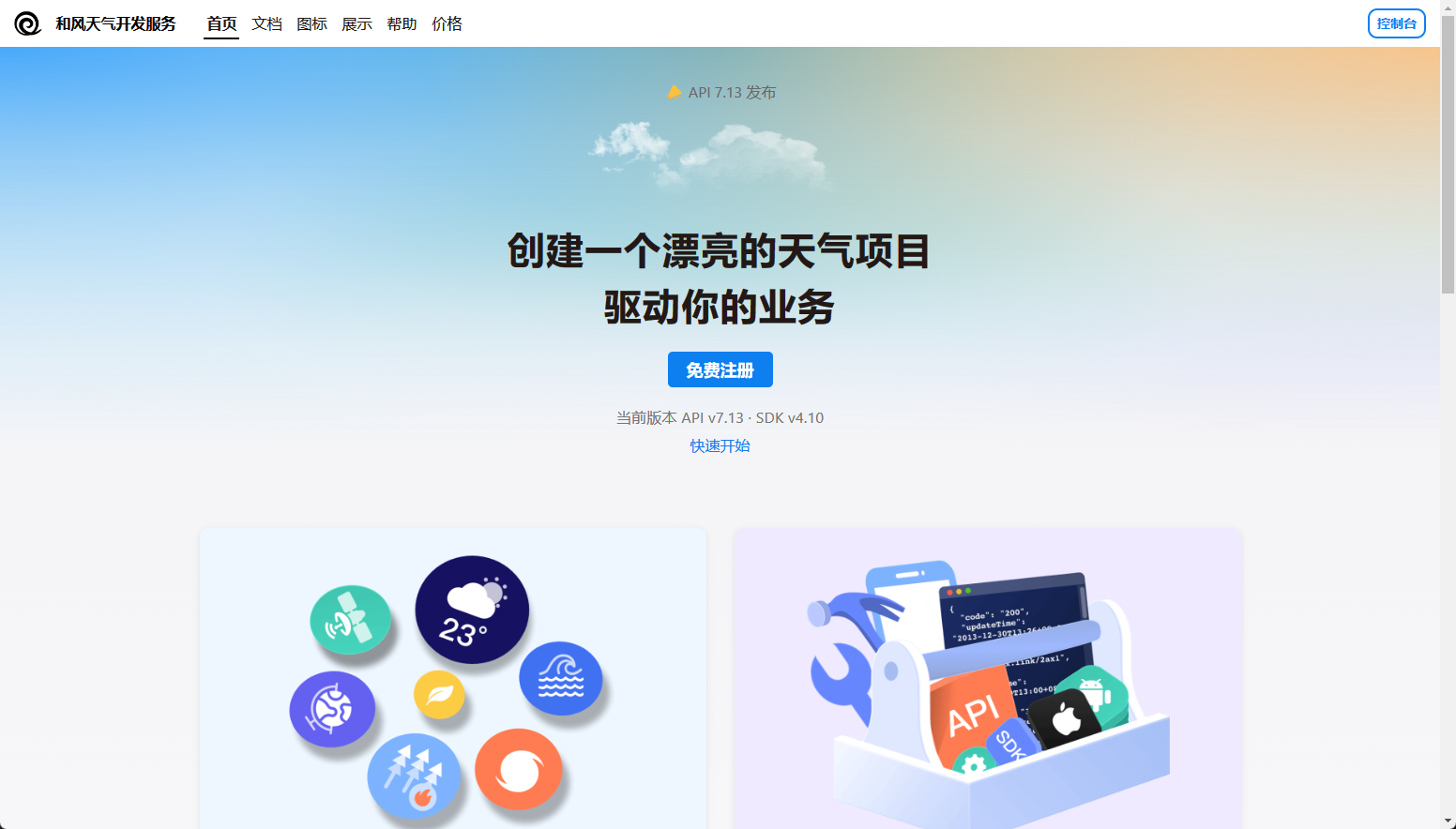
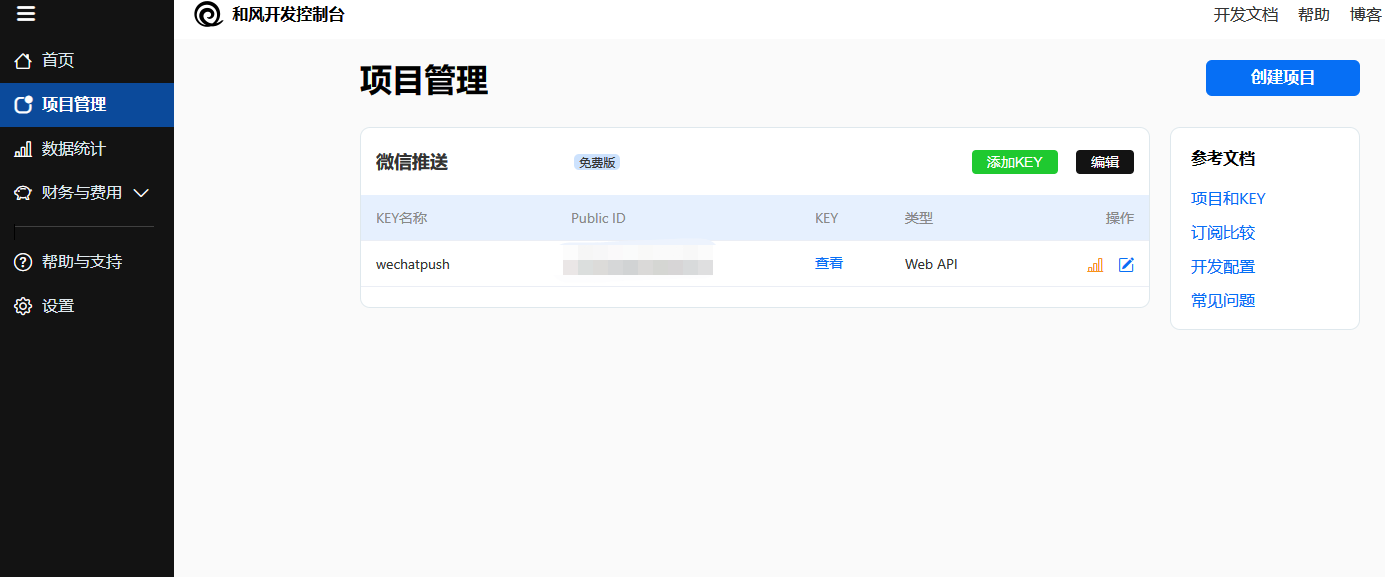
为了实现每日的天气推送就需要使用到接收天气的api,我选择的是和风天气的api来实现天气的查询和天气指数的获取,申请一个和风天气的账号,然后在后台创建项目,就可以获取一个key,这个key就是用来发送天气请求必须的参数
  当前天气的api: https://devapi.qweather.com/v7/weather/now/
  天气指数的api: https://devapi.qweather.com/v7/indices/1d/
一言API
每日哲学😅,使用一言,来实现每日哲学推送
API配置完成后我们项目的配置文件就是这个样子
wx:
  appID: 申请的账号ID
  appsecret: 申请的账号KEY
  templateId: 消息模板的ID
  #token获取
  tokenApi: https://api.weixin.qq.com/cgi-bin/token
  #获取用户列表
  userListApi: https://api.weixin.qq.com/cgi-bin/user/get
  #获取用户信息
  userInfoApi: https://api.weixin.qq.com/cgi-bin/user/info

#和风天气api
api:
  weatherApi: https://devapi.qweather.com/v7/weather/now/
  indicesApi: https://devapi.qweather.com/v7/indices/1d/
  cityid: 获取天气的城市ID
  cityname: 城市的名字
  #天气指数type
  #https://dev.qweather.com/docs/resource/indices-info/
  type: 1,3,5,16 #天气指数的类型
  key: 请求接口需要使用的api
yiyan:
  api: "https://v1.hitokoto.cn/?c=k&encode=text"
推送代码实现
pom.xml
<dependency>
            <groupId>org.projectlombok</groupId>
            <artifactId>lombok</artifactId>
            <optional>true</optional>
        </dependency>

        <!-- 微信测试公众号三方对接包 -->
        <dependency>
            <groupId>com.github.binarywang</groupId>
            <artifactId>weixin-java-mp</artifactId>
            <version>3.3.0</version>
        </dependency>
        <!--Hutool工具包-->
        <dependency>
            <groupId>cn.hutool</groupId>
            <artifactId>hutool-all</artifactId>
            <version>5.7.16</version>
        </dependency>
获取access_token
access_token是公众号的全局唯一接口调用凭据,公众号调用各接口时都需使用access_token。所以我们写一个获取accesstoken的方法

@Component
public class GetAccessToken {
    @Value("${wx.appID}")
    private String appID;

    @Value("${wx.appsecret}")
    private String appsecret;

    @Value("${wx.tokenApi}")
    private String tokenApi;

    public String getToken(){
        HashMap<String, Object> param = new HashMap<>();
        param.put("grant_type","client_credential");
        param.put("appid",appID);
        param.put("secret",appsecret);
        String response = HttpUtil.get(tokenApi, param);
        JSONObject jsonObject = JSONUtil.parseObj(response);
        //{"access_token":"ACCESS_TOKEN","expires_in":7200}
        return jsonObject.get("access_token").toString();
    }

}
获取关注用户的API
@Component
@Slf4j
public class UserUtil {

    @Value("${wx.appID}")
    private String appID;

    @Value("${wx.appsecret}")
    private String appsecret;

    @Value("${wx.userListApi}")
    private String userListApi;

    @Value("${wx.userInfoApi}")
    private String userInfoApi;

    @Autowired
    private GetAccessToken getAccessToken;

    public List<String> getAllUser(String access_token){

        HashMap<String, Object> param = new HashMap<>();
        param.put("access_token",access_token);

        String response = HttpUtil.get(userListApi, param);

        JSONObject jsonObject = JSONUtil.parseObj(response);
        JSONObject openidObj = (JSONObject) jsonObject.get("data");
        List<String> openid = (List<String>) openidObj.get("openid");

        log.info(openid.toString());

        return openid;

    }
    public List<String> getUserInfo(String access_token,String openid){

        HashMap<String, Object> param = new HashMap<>();
        param.put("access_token",access_token);
        param.put("openid",openid);
        param.put("lang","zh_CN");

        String response = HttpUtil.get(userInfoApi, param);

        JSONObject jsonObject = JSONUtil.parseObj(response);

        log.info(openid.toString());

        return null;

    }
}
天气的相关工具类和实体类
天气实体类
@Data
@AllArgsConstructor
@ToString
public class Weather {

    private String city;

    //天气
    private String text;

    //风向
    private String windDir;

    //温度
    private String temp;

    //体感温度
    private String feelsLike;

    //空气湿度
    private String humidity;

}
天气指数实体类
@Data
@AllArgsConstructor
public class Indices {
    //运动指数 1
    private String sport;

    //运动建议
    private String sporttext;

    //穿衣指数 3
    private String wear;

    //穿衣建议
    private String weartext;

    //防晒指数 16
    private String skin;

    //防晒建议
    private String skintext;
}
@Component
@Slf4j
public class WeatherUtil {

    @Value("${api.weatherApi}")
    private String weatherApi;

    @Value("${api.indicesApi}")
    private String indicesApi;

    @Value("${api.cityid}")
    private String citycode;

    @Value("${api.cityname}")
    private String cityname;

    @Value("${api.key}")
    private String key;

    @Value("${api.type}")
    private String type;


    public Weather getWeather(String citycode){

        HashMap<String, Object> param = new HashMap<>();
        param.put("location",citycode);
        param.put("key",key);
        String response = HttpUtil.get(weatherApi, param);
        JSONObject jsonObject = JSONUtil.parseObj(response);
        Weather weather = (Weather)jsonObject.get("now");
        return weather;
    }

    public Weather getWeather(){

        HashMap<String, Object> param = new HashMap<>();
        param.put("location",citycode);
        param.put("key",key);
        String response = HttpUtil.get(weatherApi, param);
        JSONObject jsonObject = JSONUtil.parseObj(response);
        JSONObject weatherobj = (JSONObject) jsonObject.get("now");
        Weather weather = new Weather(cityname,weatherobj.get("text").toString(),weatherobj.get("windDir").toString(),
                weatherobj.get("temp").toString(),
                weatherobj.get("feelsLike").toString(),weatherobj.get("humidity").toString());
        log.info(weather.toString());
        return weather;
    }

    public Indices getIndices(){

        HashMap<String, Object> param = new HashMap<>();
        param.put("location",citycode);
        param.put("key",key);
        param.put("type",type);
        String response = HttpUtil.get(indicesApi, param);
        JSONObject jsonObject = JSONUtil.parseObj(response);
        List<JSONObject> list = (List) jsonObject.get("daily");
        Indices indices = new Indices(list.get(0).get("name").toString(),list.get(0).get("text").toString(),
                list.get(1).get("name").toString(),list.get(1).get("text").toString(),
                list.get(2).get("name").toString(),list.get(2).get("text").toString());
        log.info(indices.toString());
        return indices;
    }

}
SendController
@Component
@Slf4j
public class SendController {

    @Value("${wx.appID}")
    private String appID;
    @Value("${wx.appsecret}")
    private String appsecret;
    @Value("${wx.templateId}")
    private String templateId;

    @Autowired
    private WeatherUtil weatherUtil;

    @Autowired
    private YiyanUtil yiyanUtil;


    public void push(String openid){

        WxMpInMemoryConfigStorage wxStorage = new WxMpInMemoryConfigStorage();
        wxStorage.setAppId(appID);
        wxStorage.setSecret(appsecret);
        WxMpService wxMpService = new WxMpServiceImpl();
        wxMpService.setWxMpConfigStorage(wxStorage);
        String today = FormatTime.format();

        ChineseDate chinese = new ChineseDate(new Date());
        //String chineseDate = "农历 "+chinese.toString();

        Weather weather = weatherUtil.getWeather();
        Indices indices = weatherUtil.getIndices();

        String yiyan = YiyanUtil.hitokoto();
    public void push(String openid){

        WxMpInMemoryConfigStorage wxStorage = new WxMpInMemoryConfigStorage();
        wxStorage.setAppId(appID);
        wxStorage.setSecret(appsecret);
        WxMpService wxMpService = new WxMpServiceImpl();
        wxMpService.setWxMpConfigStorage(wxStorage);
        String today = FormatTime.format();

        ChineseDate chinese = new ChineseDate(new Date());
        //String chineseDate = "农历 "+chinese.toString();

        Weather weather = weatherUtil.getWeather();
        Indices indices = weatherUtil.getIndices();

        String yiyan = YiyanUtil.hitokoto();


        WxMpTemplateMessage templateMessage = WxMpTemplateMessage.builder()
                .toUser(openid)
                .templateId(templateId)
                .build();
        templateMessage.addData(new WxMpTemplateData("smile","\uD83D\uDE03","#00BFFF"));
        templateMessage.addData(new WxMpTemplateData("today",today,"#4EEE94"));
        templateMessage.addData(new WxMpTemplateData("chineseDate",chinese.toString(),"#a0ee32"));
        templateMessage.addData(new WxMpTemplateData("city",weather.getCity()+"","#7A378B"));
        templateMessage.addData(new WxMpTemplateData("wendu",weather.getTemp()+"度"+"","#3aeede"));
        templateMessage.addData(new WxMpTemplateData("tiganwendu",weather.getFeelsLike()+"度"+"","#7B68EE"));
        templateMessage.addData(new WxMpTemplateData("weather",weather.getText()+"","#eea5e1"));
        templateMessage.addData(new WxMpTemplateData("windDir",weather.getWindDir()+"","#caee53"));
        templateMessage.addData(new WxMpTemplateData("humidity",weather.getHumidity()+"","#eed42e"));

        templateMessage.addData(new WxMpTemplateData("sport",indices.getSport()+"","#CD3278"));
        templateMessage.addData(new WxMpTemplateData("sporttext",indices.getSporttext(),"#14cd15"));

        templateMessage.addData(new WxMpTemplateData("wear",indices.getWear()+"","#4acdae"));
        templateMessage.addData(new WxMpTemplateData("weartext",indices.getWeartext(),"#16a4cd"));

        templateMessage.addData(new WxMpTemplateData("skin",indices.getSkin()+"","#757fcd"));
        templateMessage.addData(new WxMpTemplateData("skintext",indices.getSkintext(),"#93cd61"));

        templateMessage.addData(new WxMpTemplateData("yiyan",yiyan,"#FF8247"));
        try {
            log.info(templateMessage.toJson());
            wxMpService.getTemplateMsgService().sendTemplateMsg(templateMessage);

        } catch (Exception e) {
            log.error("推送失败:" + e.getMessage());
            e.printStackTrace();
        }
    }

}
现在消息推送基本完成,写一个测试方法尝试是否能够推送消息
相关信息
微信测试号的推送好像偶尔会有消息延迟 不是微信消息延迟,我是用的docker部署的,是因为docker的时间和宿主机的时间有8个小时的时间差
@Test
    void pushMessage(){
        sendController.push("用户的id");
    }

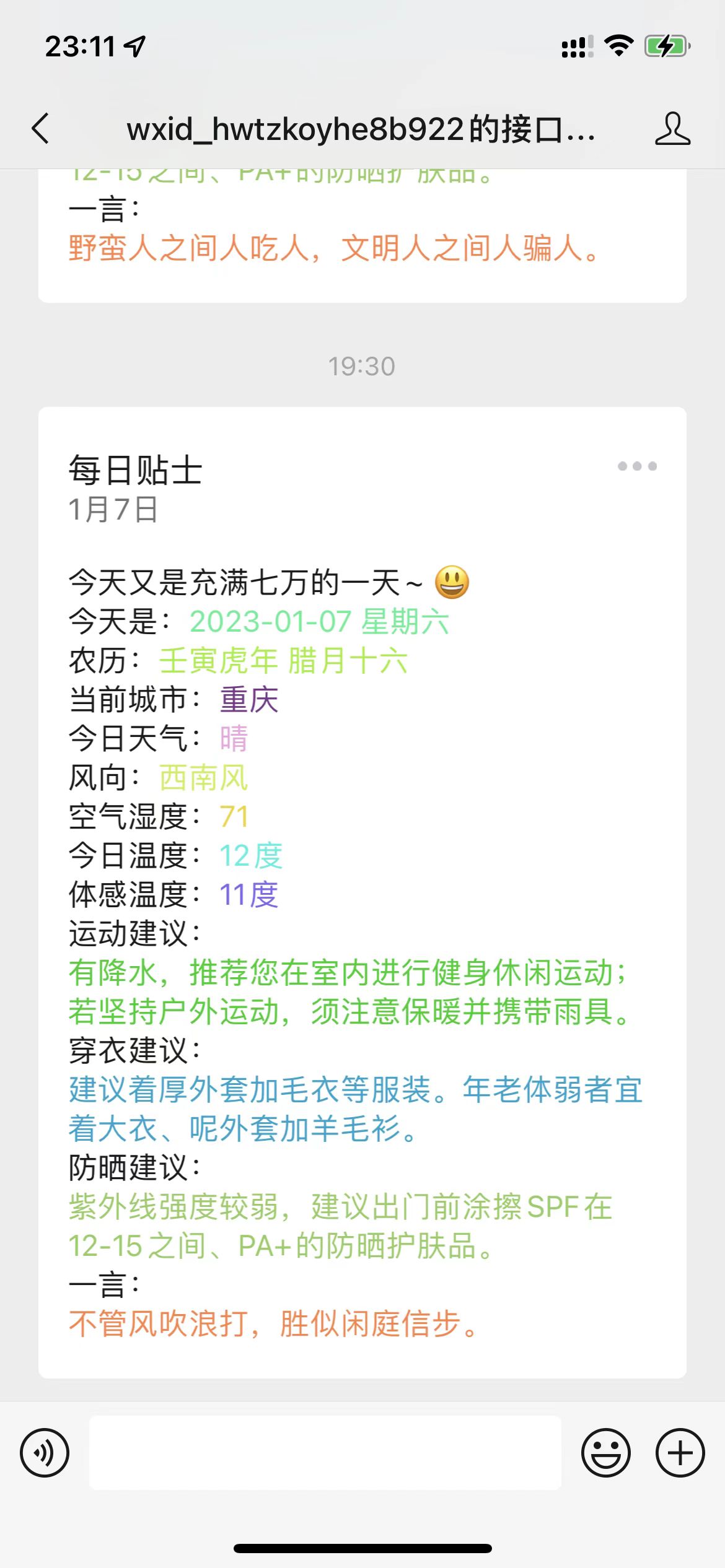
注意一下,这里电脑端和手机端的显示稍微有点区别,不知道是本来就有区别还是啥问题,电脑端偶尔就会有点排版乱了的感觉
定时发送
为了能让我们的公众号能够实现每天定时发送消息,我们需要为程序加上定时任务 首先在入口程序加上@EnableScheduling注解
在我们的配置文件里面加上一个cron表达式,用来告诉程序我们定时任务的执行规则
#每天早上7:30执行
TimerTask:
  cron: 0 30 7 * * ?
然后写一个定时任务
@Component
@Slf4j
public class ScheduledPush {

    @Autowired
    private  SendController sendController;

    @Autowired
    private UserUtil userUtil;

    @Autowired
    private GetAccessToken getAccessToken;

    @Scheduled(cron = "${TimerTask.cron}")
    public void push(){
        List<String> openids = userUtil.getAllUser(getAccessToken.getToken());
        openids.stream().forEach(System.out::println);
        openids.stream().forEach(openid -> sendController.push(openid));
    }
}
写在最后
当完成以上步骤之后就可以将程序打包放入服务器运行了。
优化:
可以在关注之后让其输入一些基本信息,存入数据库之内,然后就可以根据每个用户推送不同的信息。
后面新增了一个邮件发送的功能来监测每天是否按时发送了消息