
Spring Cloud入门之Hystrix篇
前言
在微服务架构中,面对一个请求通常需要多个服务之前层层调用来完成,一旦某个环节的服务出现了问题,其他依赖的相关程序也会出现问题,然后就很容易产生服务雪崩,最终就会因为小问题导致整个系统的瘫痪。 Hystrix实现了断路器模式,当某个服务发生故障时,通过断路器的监控,给调用方返回一个错误响应,而不是长时间的等待,这样就不会使得调用方由于长时间得不到响应而占用线程,从而防止故障的蔓延。
简介
Spring Cloud Hystrix 是基于 Netflix 公司的开源组件 Hystrix 实现的,它提供了熔断器功能,能够有效地阻止分布式微服务系统中出现联动故障,以提高微服务系统的弹性。Spring Cloud Hystrix 具有服务降级、服务熔断、线程隔离、请求缓存、请求合并以及实时故障监控等强大功能。
在微服务系统中,Hystrix 能够帮助我们实现以下目标:
保护线程资源:防止单个服务的故障耗尽系统中的所有线程资源。快速失败机制:当某个服务发生了故障,不让服务调用方一直等待,而是直接返回请求失败。提供降级(FallBack)方案:在请求失败后,提供一个设计好的降级方案,通常是一个兜底方法,当请求失败后即调用该方法。防止故障扩散:使用熔断机制,防止故障扩散到其他服务。监控功能:提供熔断器故障监控组件 Hystrix Dashboard,随时监控熔断器的状态。
熔断,降级
熔断和降级之前一直没搞懂到底有什么区别,或者是不是应该组合使用才行。后面看了《熔断和降级的真实关系,图文并茂,看完秒懂》才验证了自己的想法。网上很多人的解释基本就是照抄,很浅显的理解。
熔断
就是在整个调用链之中,如果向下游的服务请求时,发现因为某种原因突然变得不可以用或着响应太慢,为了保证服务的可以用性,不在继续调用服务,直接返回,快速释放资源,如果目标服务情况好转则恢复调用。
降级
什么是服务降级呢?降级主要有以下几种情况
- 超时:当下游的服务因为某种原因响应过慢,下游服务主动停掉一些不太重要的业务,释放出服务器资源,增加响应速度!
- 不可用:当下游的服务因为某种原因不可用,上游主动调用本地的一些降级逻辑,避免卡顿,迅速返回给用户!
- 限流:防止上游服务请求太多导致服务崩溃,所以限制请求的数量,来达到保护下游服务的目的,当请求的流量到达一定阈值时,直接拒绝多余的请求,执行降级逻辑
熔断和降级的关系
降级和熔断其实就是服务安全中的2个不同的流程,在服务发生故障时,肯定是先断开(熔断)与服务的连接,然后在执行降级逻辑。 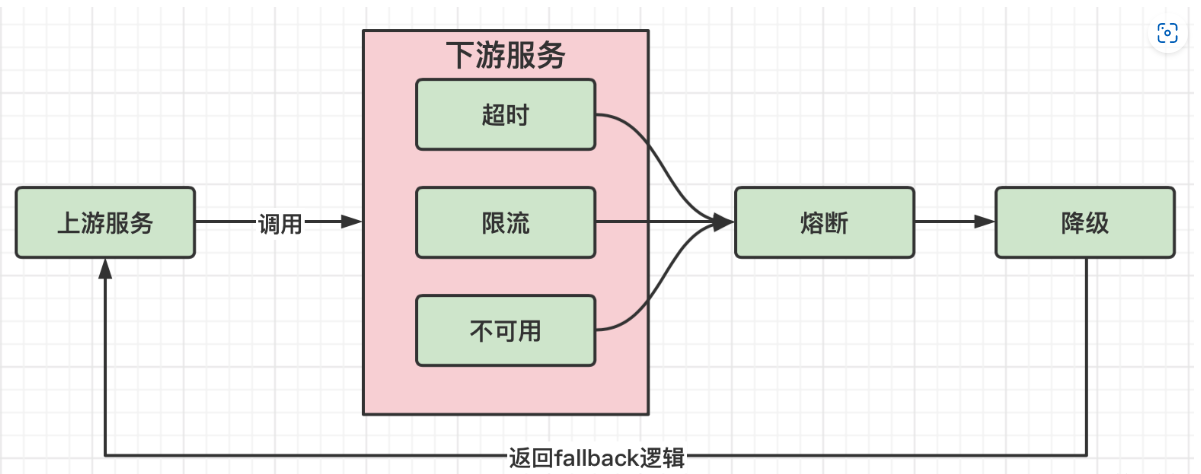
熔断可以看作是降级的特殊情况,即便降级了,系统也顶不住了,所以就直接断开,以保证高可用。
降级的方式
1. 熔断降级(不可用)
服务调用B服务,失败次数达到一定阈值后 ,A服务的断路器打开,就不在请求B服务,而是直接执行本地的fallback方法 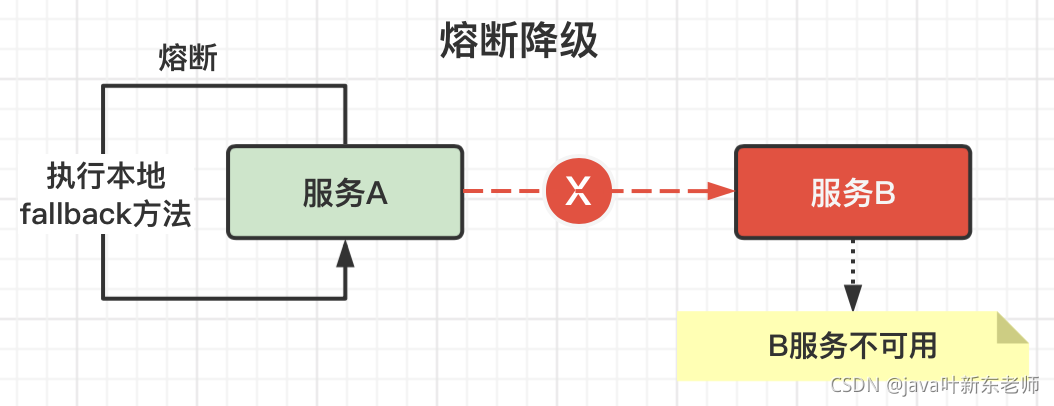
2、超时降级
A服务调用B服务,B服务响应超过了A服务设定的阈值后,就会执行降级逻辑 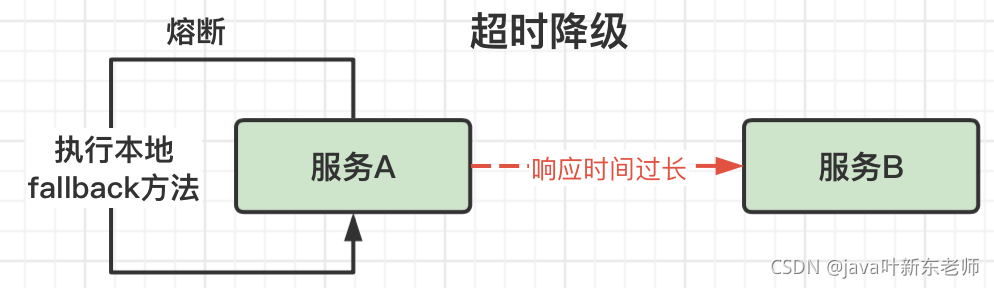
3、限流降级
A服务调用B服务,服务A的连接已超过自身能承载的最大连接数,最后一个会直接拒绝,执行fallback降级逻辑 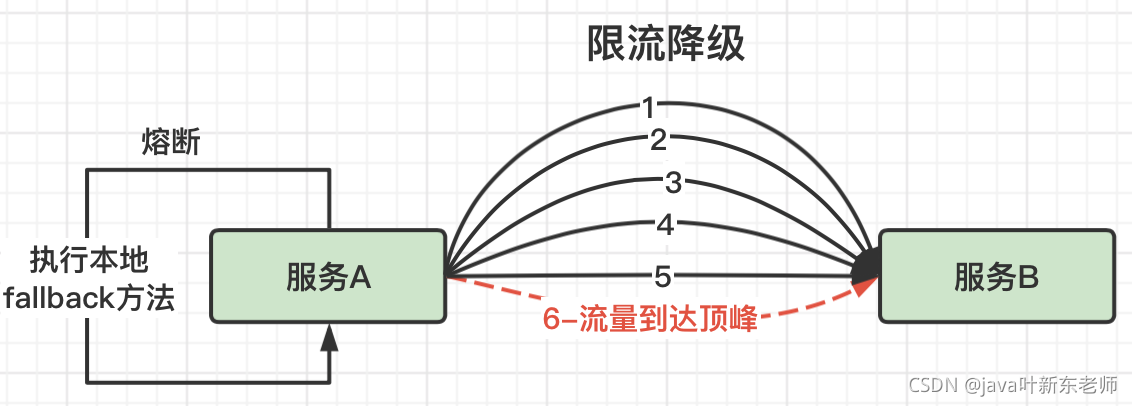
实例
服务消费方降级
我们使用OpenFeign来实现服务调用,因为OpenFeign本身已经集成了Hystrix,所以可以直接实现降级处理 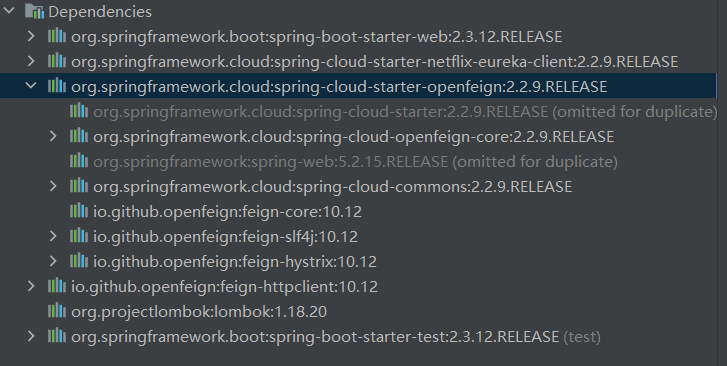
- 先创建一个服务提供方
server:
  port: 8081
spring:
  application:
    name: customer-service
eureka:
  client:
    service-url:
      defaultZone: http://localhost:8761/eureka
  instance:
    hostname: localhost
    instance-id: ${eureka.instance.hostname}:${spring.application.name}:${server.port}
#开启OpenFeign的Hystrix功能
feign:
  hystrix:
    enabled: true
导入依赖
<dependency>
    <groupId>org.springframework.cloud</groupId>
    <artifactId>spring-cloud-starter-netflix-eureka-client</artifactId>
</dependency>
<dependency>
    <groupId>org.springframework.cloud</groupId>
    <artifactId>spring-cloud-starter-openfeign</artifactId>
</dependency>
<dependency>
    <groupId>org.springframework.cloud</groupId>
    <artifactId>spring-cloud-starter-netflix-hystrix</artifactId>
</dependency>
开启Eureka客户端功能,和OpenFeign客户端功能
@SpringBootApplication
@EnableEurekaClient
@EnableFeignClients
public class CustomerServiceApplication {

	public static void main(String[] args) {
		SpringApplication.run(CustomerServiceApplication.class, args);
	}

}
写一个接收请求的Controller
@RestController
public class CustomerController {

    /**
     * 因为容器中存在了两个名字叫CustomerRentFeign的bean,所以需要指定用的是哪一个
     */
    @Qualifier("com.example.customerservice.Feign.CustomerRentFeign")
    @Autowired
    private CustomerRentFeign customerRentFeign;

    @GetMapping("customerRent")
    public String rent(){
        String string = customerRentFeign.rent();
        return string;
    }
}
OpenFeign的接口,fallback = CustomerRentFeignHystrix.class就是等下熔断需要调用的兜底方法
@FeignClient(value = "rent-car-service",fallback = CustomerRentFeignHystrix.class)
public interface CustomerRentFeign {

    @GetMapping("rent")
    public String rent();
}
实现CustomerRentFeignHystrix这个方法
@Component
public class CustomerRentFeignHystrix implements CustomerRentFeign {

    @Override
    public String rent() {
        return "熔断调用";
    }
}
- 创建一个服务调用方
server:
  port: 8080
spring:
  application:
    name: rent-car-service
eureka:
  client:
    service-url:
      defaultZone: http://localhost:8761/eureka
  instance:
    hostname: localhost
    instance-id: ${eureka.instance.hostname}:${spring.application.name}:${server.port}
@SpringBootApplication
@EnableEurekaClient
public class CarServiceApplication {

    public static void main(String[] args) {
        SpringApplication.run(CarServiceApplication.class, args);
    }

}
@RestController
public class RentCarController {

    @GetMapping("rent")
    public String rent(){
        return  "正常调用";
    }

}
<dependency>
    <groupId>org.springframework.cloud</groupId>
    <artifactId>spring-cloud-starter-netflix-eureka-client</artifactId>
</dependency>
启动,这时候服务端正常,所以调用正常
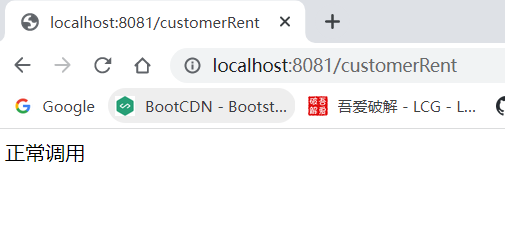
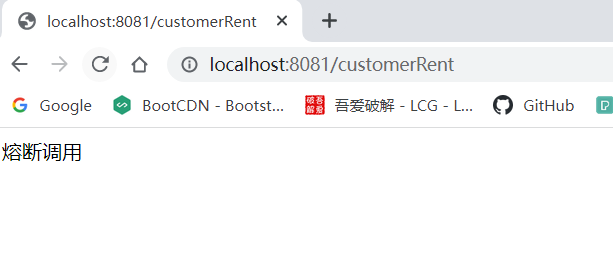
关闭服务端,可以看到,请求几秒之后就调用了兜底方法
服务提供方降级
我们是基于OpenFeign来做的服务调用方降级,因为OpenFeign就是给服务调用方使用的,我们也可以在服务提供方来进行降级。
为服务方的启动类加上@EnableCircuitBreaker注解,开启Hystrix
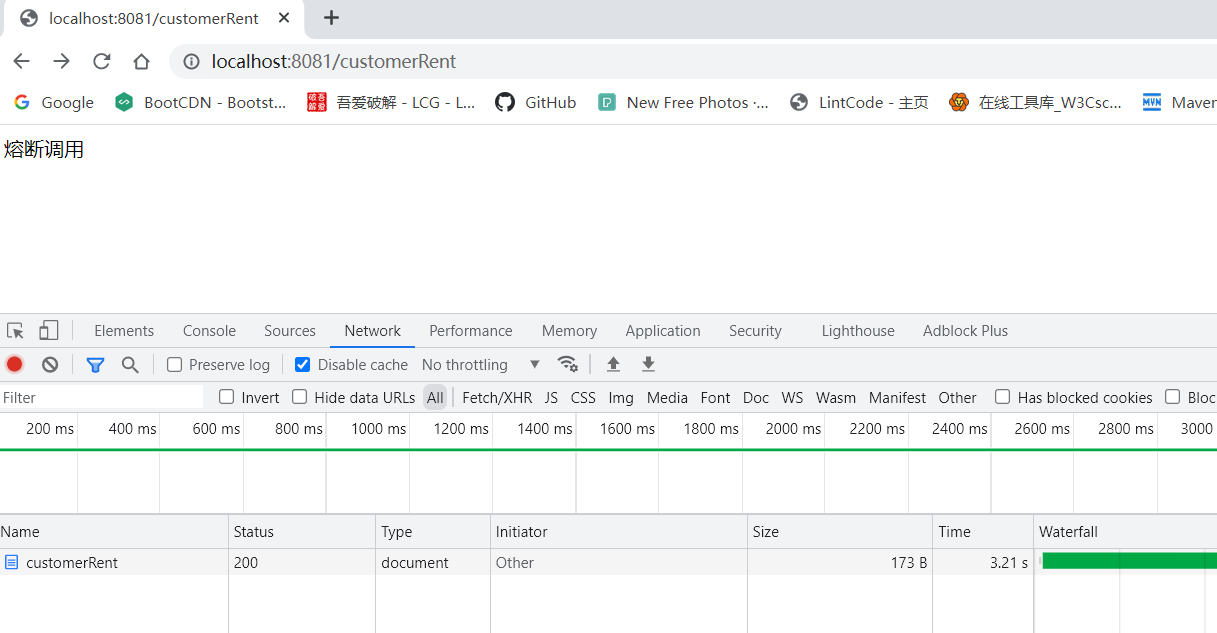
更改一下服务方的方法,使用休眠来模拟请求超时,@HystrixCommand配置一下熔断后调用的方法,然后配置一下超时时间,因为默认是1S没有响应就失败
@RestController
public class RentCarController {

    @GetMapping("rent")
    @HystrixCommand(fallbackMethod = "CustomerHystrix", commandProperties =
            {@HystrixProperty(name = "execution.isolation.thread.timeoutInMilliseconds", value = "3000")})
    public String rent(){
        try {
            Thread.sleep(5000);
        } catch (InterruptedException e) {
            throw new RuntimeException(e);
        }
        return  "正常调用";
    }

    public String CustomerHystrix(){
        return  "熔断调用";
    }

}
还有一个地方就是删除配置在调用方的兜底方法
@FeignClient(value = "rent-car-service")
因为我们设置了强制休眠5s,所以我们也要为远程调用的方法设置比休眠更长的超时时间,并且关闭调用方的hystrix
feign:
#  hystrix:
#    enabled: true
  client:
    config:
      default: # 设置的全局超时时间
        connectTimeout: 5000 # 请求连接的超时时间
        readTimeout: 5000 # 请求处理的超时时间
全局降级
如果需要为该业务类下面的所有方法都使用降级的话,可以使用@DefaultProperties注解来进行降级
Hystrix的配置
我们最开始说了,熔断其实就是特殊的降级,比如,对于一个请求在多久之内失败的次数达到一个阈值后就进行熔断,这些都是在降价的基础上进行配置所实现的功能。
官方的配置doc,所有的配置,在OpenFeign的配置参数中和在@HystrixCommand注解中都是一样的,只是针对的对象不同
hystrix:
  command:
    default: #default是全局控制,也可以换成单个方法名
      execution:
        isolation:
          # 调用隔离方式, 默认: 采用线程隔离, ExecutionIsolationStrategy:THREAD
          strategy: THREAD
          # 调用超时时间, 默认: 5 秒
          thread:
            timeoutInMilliseconds: 8000
          # 使用信号量隔离时, 命令调用最大的并发数
          semaphore:
            maxConcurrentRequests: 10
      #使用信号量隔离时, 命令fallback调用最大的并发数
      fallback:
        isolation:
          semaphore:
            maxConcurrentRequests: 10
      # === === === == 熔断器 === === === ==
      circuitBreaker:
        # 熔断器在整个统计时间内是否开启的阀值, 默认20个请求
        requestVolumeThreshold: 8
        # 熔断器默认工作时间, 默认: 5 秒
        sleepWindowInMilliseconds: 5
        # 默认: 50%, 当出错率超过50% 后熔断器启动
        errorThresholdPercentage: 50
        # 是否强制开启熔断器阻断所有请求, 默认: false, 不开启
        forceOpen: false
        # 是否允许熔断器忽略错误, 默认false, 不开启
        forceClosed: false